The ExoClick Traffic Checklist: Why has my traffic volume dropped?
Many advertisers have thought, ‘Why has my traffic volume dropped, and how do I recover the volume?’ Usually, they set up a new campaign, and it starts out strong with a large reach and conversions. However, after a while, they notice that the volume starts to decline. In this blog, we will explore the reasons behind traffic drops and provide a practical guide on how to troubleshoot and recover your traffic.
Why has my ExoClick traffic volume dropped?
Identifying why your traffic volume has decreased is the first step toward recovery. Here are the four most common factors that impact your campaign’s reach:
1. Real-time bidding system
ExoClick uses a real-time bidding system where advertisers bid for their desired traffic. As new advertisers constantly join these auctions, the competition for your targeting ad zone will increase. Consequently, this new competition may win a larger share of traffic or claim a portion of the traffic you previously secured.
2. Campaign optimizations
It’s recommended that advertisers start to optimize their campaigns after collecting initial data. However, if you introduce deeper targeting, for example, you should not expect the same traffic volume as you have essentially filtered out the traffic sources or targeting segments that did not convert for you. You can find other ways beyond targeting to ensure you keep the volumes without wasting your budget through other means, such as bids, frequency capping, or Traffic Share deals.
3. Traffic share deals
Advertisers sometimes choose to close Traffic Share deals to secure traffic on specific ad zones that work well for their offers. There could be advertisers closing these deals at any moment on your sources, which leaves less traffic for advertisers who are bidding in the general auction. If you would like to learn more about traffic share deals, please get in touch with your Account Manager or the Customer Success team.
4. Compliance issues
After a campaign has been running for a while, advertisers often need to refresh their creatives, which is a highly recommended approach. However, new creatives or landing pages might contain certain elements that result in labels being applied to the campaign, which can limit traffic. Paying close attention to your campaign labels is essential. If you have any questions regarding labeling, kindly get in touch with our compliance team here: ExoClick Contact (select “Compliance” – “Campaign review”).
The Traffic Checklist: How can I increase traffic after traffic volume has dropped?
1. The traffic estimate
It may be that your traffic volume dropped because you are targeting sources with little to no traffic supply. In this case, examining the available inventory is very important.
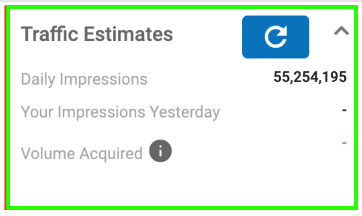
Through the traffic estimate tab, you can examine the daily traffic volume available for your current targeting:
2. Targeting
Some of your selected targeting options may be acting as a roadblock for your traffic delivery. We recommend examining the traffic categories targeted in Step 1 and the various options in Step 3 of your campaign settings.
The options we most frequently see contributing to traffic limitations are the following:
- Keyword targeting: Check if your keywords are too restrictive.
- Behavioral retargeting: You must first have pixel tracking enabled for at least three days.
- Age verification: This only functions if verified traffic is available for your targeting.
3. Frequency capping
Increasing your frequency capping gradually is also a way to maximize reach.
4. Ad format and traffic source compatibility
There are scenarios where advertisers choose to target a specific traffic type, but it may happen that their chosen ad format is not what publishers in that category usually implement. For example, Members Area traffic is mostly concentrated on Banners, Tabs, Popunders, and Email Clicks formats. If you are using a format like Video, there is a high chance that there will be little to no traffic supply available for that specific source. It is always important to ensure your ad format aligns with the inventory available in your targeted traffic category.
This can also be applied to your specific target traffic sources. Some sites may provide traffic in formats that differ from the one you are using. It is always recommended to review the inventories available for the traffic you wish to target in our marketplace.
Final Thoughts: What is the key to consistent traffic volume with ExoClick?
Achieving a strong start with your campaign is only half the battle. Because the real-time bidding environment is constantly evolving, maintaining top-tier traffic requires active and ongoing optimization. By routinely auditing your targeting settings, keeping bids competitive, and ensuring your ad formats align with marketplace supply, you can quickly reverse a sudden dip in delivery. Consistent monitoring ensures you never leave potential reach on the table.
Sign up for ExoClick today, or if you’d like us to review your current campaigns and help uncover new traffic opportunities, please don’t hesitate to reach out to your Account Manager or contact our Customer Success team.
