

Integrating your ExoClick and Voluum (opens in a new tab) account is quick and easy. This integration enables Voluum to periodically ping ExoClick for campaign cost information and update your campaign data.
Let’s get started!
Before you can integrate with Voluum, you need to have an active ExoClick account in order to obtain your API Token.
Creating your API token
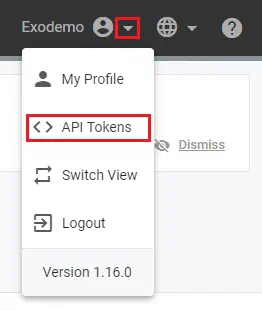
Log into your ExoClick admin panel and then open the drop down to the right of your user name. Below My Profile, select <>API Tokens.
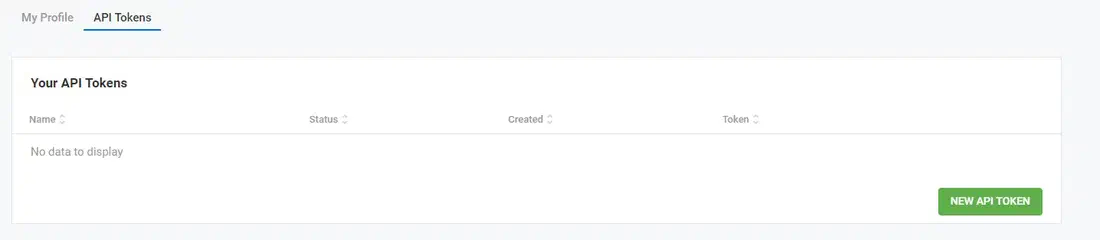
This opens the API creation section, now click on NEW API TOKEN
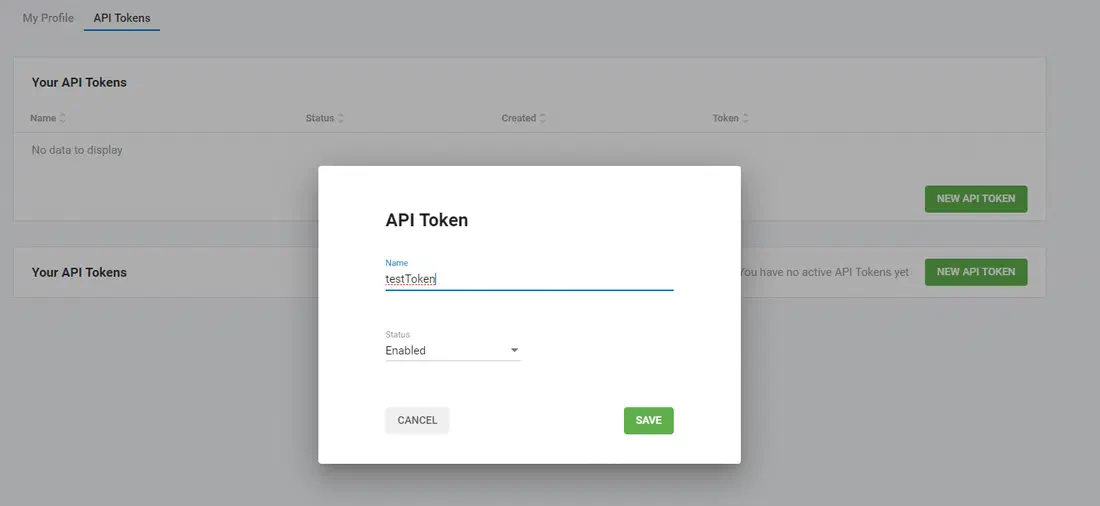
Type in a name for your Token, for this tutorial we have called ours ‘testToken’ then click SAVE.
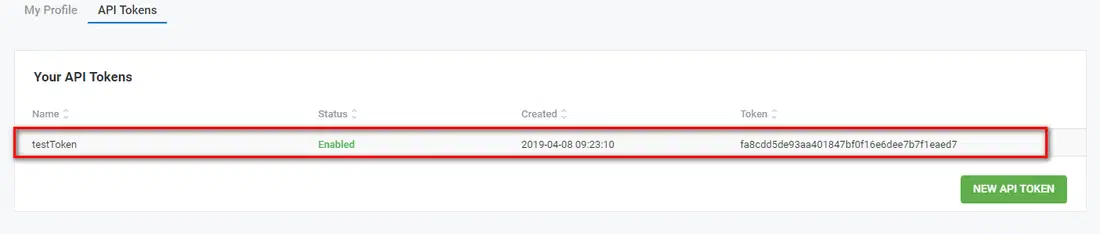
Now your Token ID is created
Now it’s time to integrate your account with Voluum! So log into your Voluum account.
Now it takes just 7 clicks to get your integration up and running!
1. Click the Settings icon to view your Settings display
2. Click the ‘Integrations’ tab to open the Integrations screen

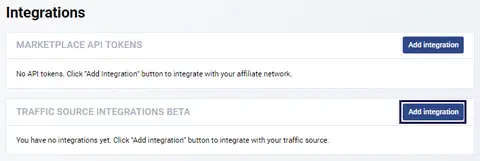
3. Click the ‘Add integration’ button in the TRAFFIC SOURCE INTEGRATIONS BETA section
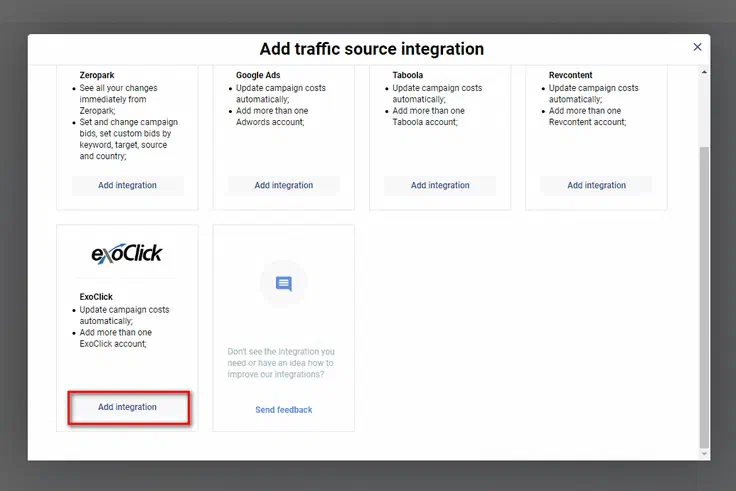
4. This opens the Traffic Sources, click the “Add integration” button under the ExoClick traffic source
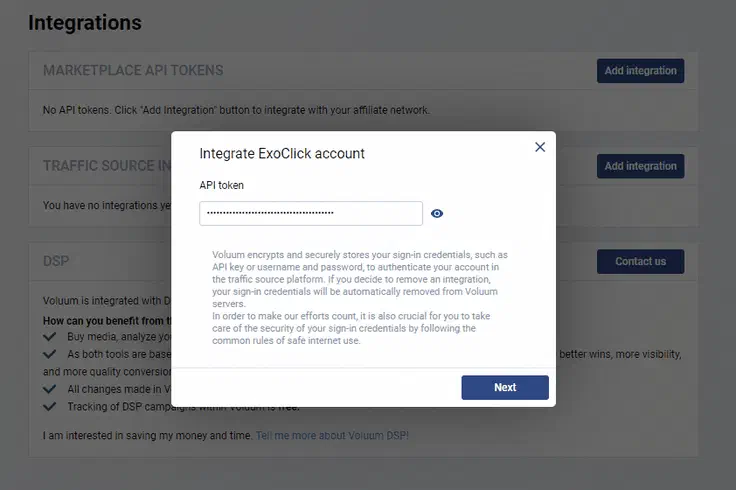
5. This opens the window for adding your ExoClick API token, cut and paste it into the box and click ‘Next’
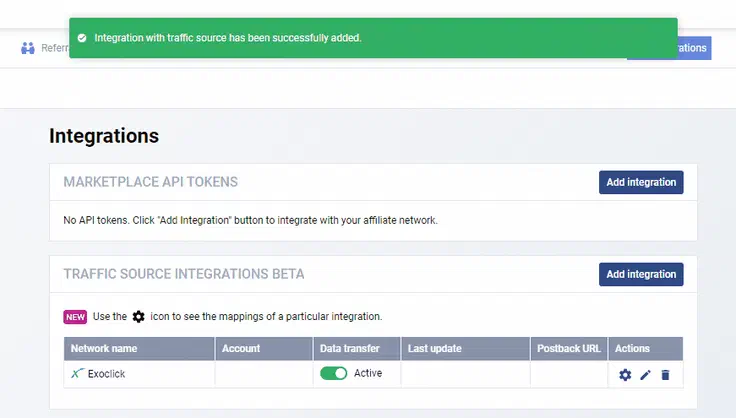
7. Now you will be redirected back to Voluum’s Integration tab. Where an integration success message will be displayed. If your ExoClick campaigns point to Voluum Campaign URL, they will be automatically matched within 2 hours, but you can also use the settings icon to manually match campaigns.
We also have a downloadable PDF manual here (opens in a new tab), featuring:
- Integrate ExoClick’s conversion tracking
- ExoClick API Voluum integration
Please note
- You can integrate multiple ExoClick accounts within one Voluum account. But you cannot integrate one ExoClick account with multiple Voluum accounts.
- If you try to integrate your Voluum account with an ExoClick account that has already been integrated with another Voluum account, you will receive an ‘unable to integrate’ error message.
- If you are using Traffic Source integration and start to use API Integration, the values will be overridden by the API, so for example, the cost value passed via the Traffic Source integration will be updated via the API.
- The integration is enabled for single campaigns across both platforms. So, you will not be able to toggle targeting or bidding in a Voluum campaign if it has multiple ExoClick campaigns feeding traffic into it.