At ExoClick we strive to be an Ad Platform with great user experience! In our continuous effort to improve user experience on the ExoClick platform and enhancing Advertiser clients’ user experience, we’ve implemented key changes to the “Filters” section in the campaign setup (opens in a new tab) in your Admin Panel (opens in a new tab), in order to aid Advertisers in configuring their campaigns quicker and easier. We tell you all about it in this article.
To streamline and enhance Advertiser clients’ user experience, we have decided to improve the filters section in campaign setup for Advertisers:
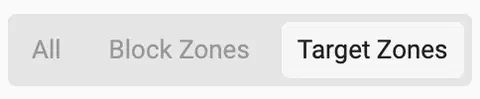
1. Updated the “Target Mode” Selector:
We introduced a new inline selector for the “Target Mode” field. This presents the three available options more clearly, allowing Advertisers to make selections quickly and efficiently:
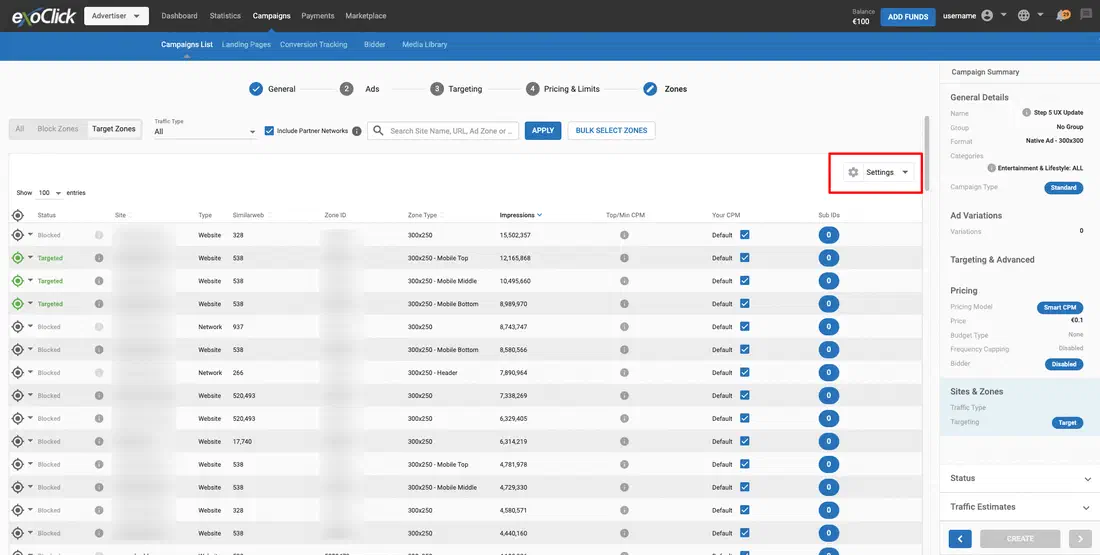
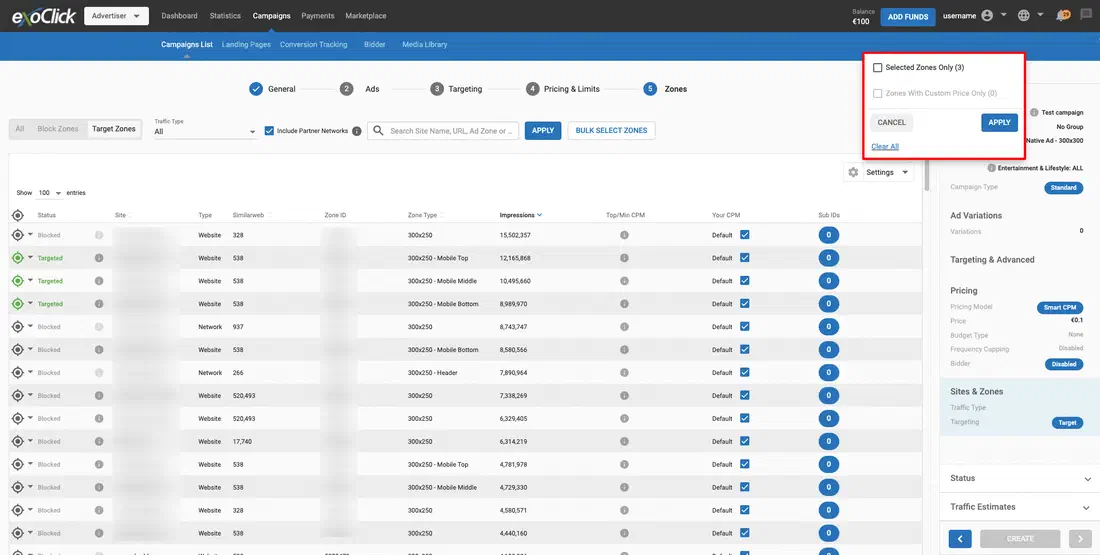
2. Introduced a “Settings” dropdown:
The buttons “Selected Zones Only” and “Zones with Custom Price Only” have been moved to a new dropdown menu labeled “Settings”. This will help declutter the interface and make these options easier to find:
3. Simplified Impressions Options to enhance Advertiser clients’ user experience, improving the filters section in campaign setup for Advertisers:
We removed the “Impressions” dropdown option and set “Target Impressions” as the default.
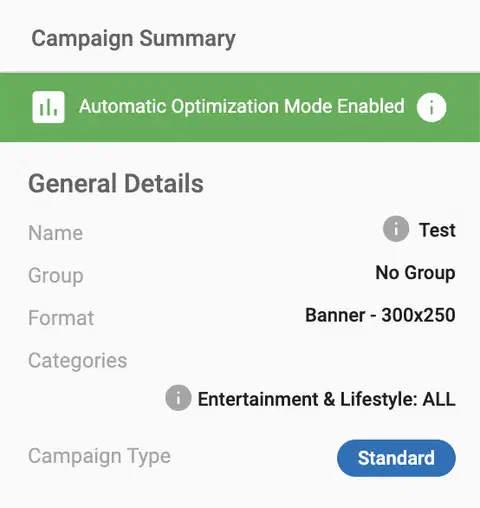
4. Enhanced Campaign Summary:
The message “Automatic Optimization Mode Enabled” has been moved to the campaign summary, ensuring that important information is more accessible and prominent.
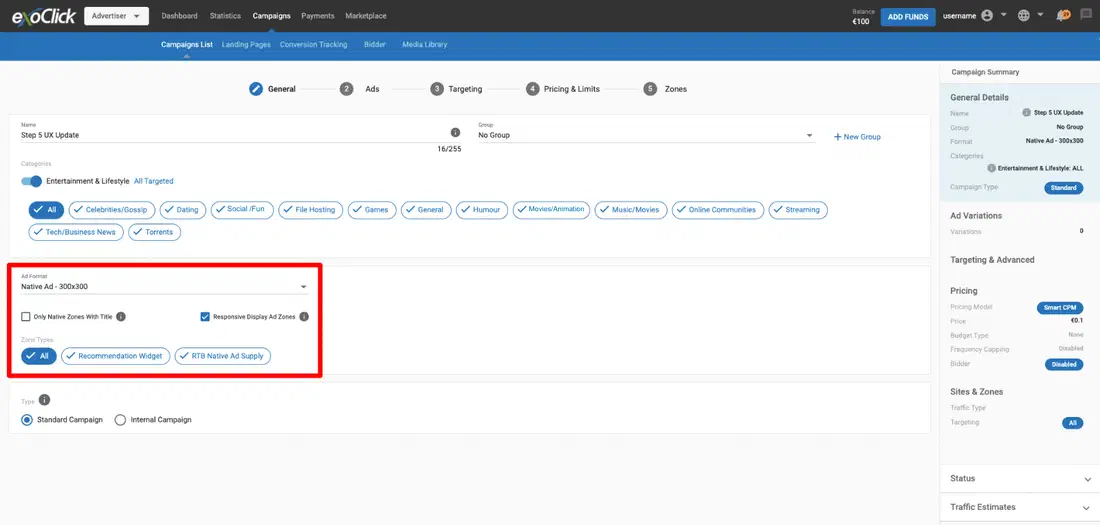
5. Relocated Specific Fields:
“Only Native Zones With Title” and “Responsive Display Ad Zones”: These fields have been moved to step 1 of the campaign setup process. They will only appear if the selected format is “Native Ad".