Push Notification Ads
Ads that look like a browser or phone notification, on desktop and mobile.
What are push notification ads?
A push notification ad is a short message with an image, styled like a browser or app alert. ExoClick has two push formats.
Push Notifications reach people who subscribed to a website, even when they aren’t browsing. In-Page Push looks the same but shows inside the page, so it needs no subscription.
ExoClick push formats
Use one 720×480 image for both the icon and the main image, or a 192×192 image for the icon only.
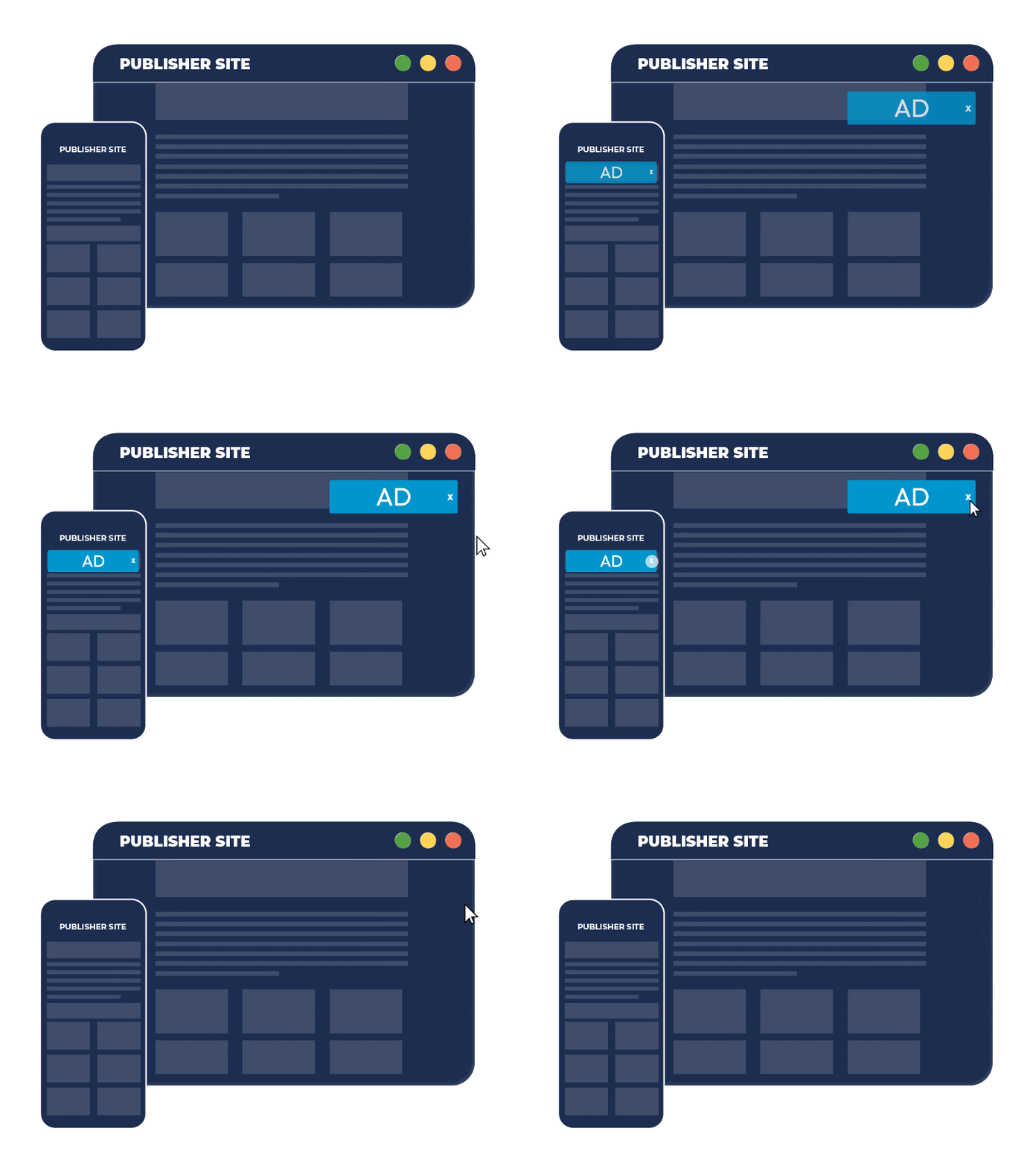
In-Page Push Notification
In-Page Push Notification ads are display ads designed exactly like a Push Notification. The ad contains a 192×192 or 720×480 (icon/image) on the left and space for text on the right: title & description. Features a close ad button on the right-hand side.- Sizes: 720×480
- Files: jpeg, png, gif
- Max weight: 150 KB
- Text: Title 50 characters, description 90, brand 30
- Bidding: CPM, CPC
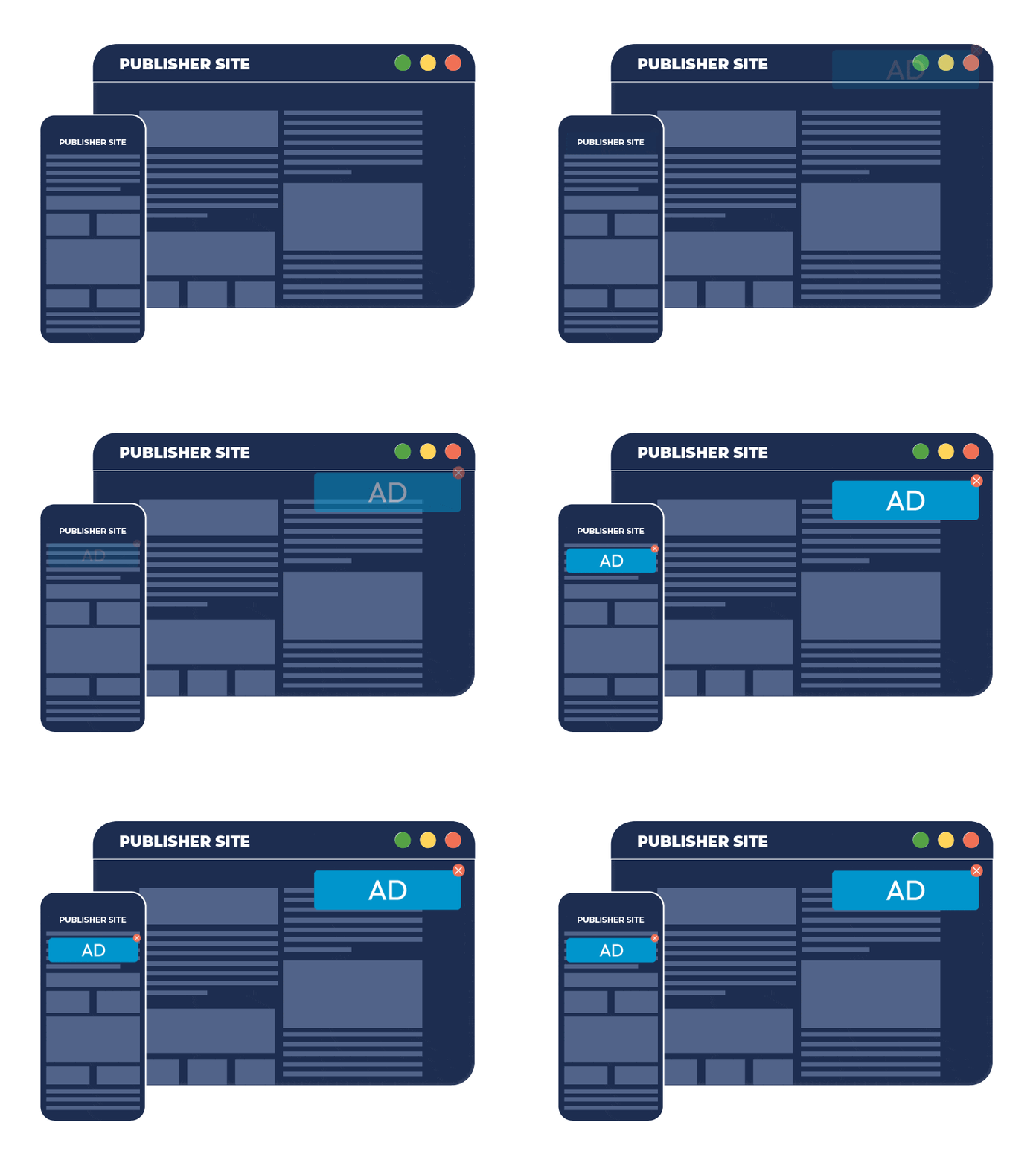
Push Notifications
Push Notifications 720×480 (icon + image) or 192×192 (icon only) and text sent to opted-in users of a publisher’s website. Users receive them on their desktop, tablet and mobile devices even when not browsing the internet.- Sizes: 720×480 or 192×192
- Files: jpeg, png, gif
- Max weight: 150 KB
- Text: Title 50 characters, description 90 (limits vary by browser)
- Bidding: CPM, CPC
Push ads for Advertisers and Publishers
Advertisers (opens in a new tab)
Upload your image, write a title of up to 50 characters and a description of up to 90, then bid per click (CPC) or per thousand impressions (CPM). Emojis are allowed in the text.Create a push campaign: Advertisers (opens in a new tab)Publishers (opens in a new tab)
Add a Push Notifications ad zone to earn from your subscribers, or an In-Page Push ad zone that works on any page with no subscription needed.Set up an In-Page Push ad zone: Publishers (opens in a new tab)
Push notification ads FAQ
What is the difference between Push Notifications and In-Page Push?
Push Notifications are sent by the browser to people who subscribed to a website, and can reach them when they aren’t browsing. In-Page Push shows the same kind of message inside the page the visitor is reading, so it needs no subscription.
Which browsers show Push Notifications?
On desktop: Chrome, Firefox and Opera on Windows and macOS. On mobile: Chrome, Firefox, Opera, Edge and Samsung Internet. Safari doesn’t allow web push notifications, and push notifications only work on websites served over HTTPS.
How do I create a campaign for each format?
Follow our tutorials for Push Notifications (opens in a new tab) and In-Page Push (opens in a new tab). To add emojis, see How to add emojis to your campaigns (opens in a new tab).
How do publishers add a Push Notifications ad zone?
See How to implement a Push Notifications ad zone (opens in a new tab). If you already work with other push networks, read Using push notifications from multiple networks (opens in a new tab).
Push notification ads on the blog
- 9 reasons why Advertisers should use ExoClick’s Push Notifications What is it that makes this ad format such a winning formula on ExoClick’s ad network?
- Advertiser benefits of In-Page Push Notifications In-Page Push Notifications have some great benefits to help increase clicks for your offers.
- Publisher Case Study: Increased eCPMs In Page Push Notifications In this article we look at 2 Publisher sites who have implemented the format and how it increased their revenues.