Popunder Ads
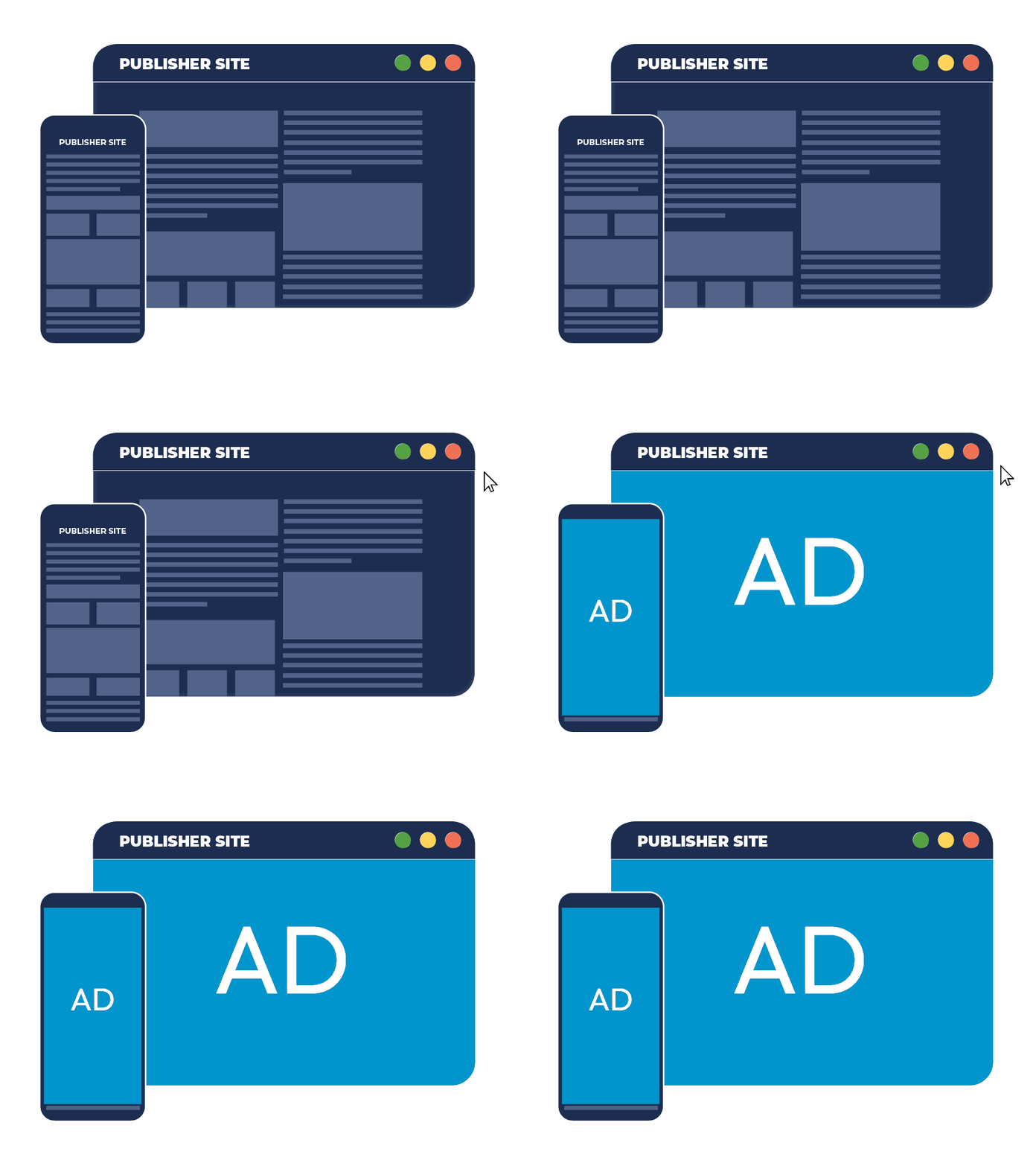
A full landing page, opened in its own browser tab, on desktop and mobile.
What is a popunder ad?
A popunder opens the advertiser’s landing page in a new tab when a visitor clicks a link on a publisher’s website. The visitor stays on the site and sees the ad when they close the current tab.
There’s no banner to design: advertisers only need a landing page URL and pay per thousand impressions (CPM).
The ExoClick popunder
Popunders
Large format, appears hidden behind the main browser window where it remains unnoticed until the user closes or minimizes the main browser window, which then displays the ad.- Creative: Your landing page URL, no image or video needed
- Bidding: CPM
Popunders for Advertisers and Publishers
Advertisers (opens in a new tab)
Add your landing page URL, choose your targeting and bid per thousand impressions with CPM, Smart CPM or Smart Bid. ExoClick serves 20 billion geo-targeted ads a day across 65,000 publisher platforms.Read the ad format guide: Advertisers (opens in a new tab)Publishers (opens in a new tab)
A popunder earns from each visit without taking space on your pages. Choose the trigger that suits your website and set frequency capping to control how often each visitor sees it.Popunder trigger options: Publishers (opens in a new tab)
Popunder ads FAQ
What is the difference between a popunder and a pop-up?
A pop-up opens on top of the page the visitor is reading. A popunder opens the advertiser’s page in a new tab while the visitor stays on the publisher’s website, and shows once they close that tab.
Which creative do I need for a popunder campaign?
Only the URL of your landing page. The popunder shows that page as it is.
How do publishers keep popunders within the rules on abusive ad experiences?
Our tutorial explains how to set up popunder ad zones that fit those rules: How to ensure your Popunders fit in with the rules of abusive ad experiences (opens in a new tab).
Can I limit how often a visitor sees a popunder?
Yes. Publishers set frequency capping on each popunder ad zone. See Manage capping for Popunders and Fullpage Interstitials (opens in a new tab).
Popunder ads on the blog
- Publisher Case Study: Popunder revenues and Frequency Capping How does ExoClick’s Frequency Capping tool work? Learn how to boost Popunder revenues with Frequency Capping on ExoClick's platform!
- Case study: 3 Publishers using our in-line popunder code ExoClick's in-line Popunder code is very easy to implement on a publisher’s website and forces Popunders to show to end users using ad blockers
- Publishers! Try our Fullpage Interstitial & Popunder combinations You can set various criteria set within ExoClick’s admin panel to trigger the ad on a user’s click, which then displays the ad to the end user.