Native Ads
Image and text ads that match the look of the website they appear on.
What are native ads?
Each native ad is an image with a short title and description, shown in a recommendation widget next to the site’s own content. It reads like a suggestion rather than a banner.
The widget is customizable and responsive on desktop, mobile and tablet. Advertisers can add a video thumb that plays on hover or touch.
ExoClick native formats
Images can use a 16:9, 4:3 or 1:1 ratio, from 300×300 to 900×900 pixels, in JPEG or PNG. They are resized to fit each ad zone.
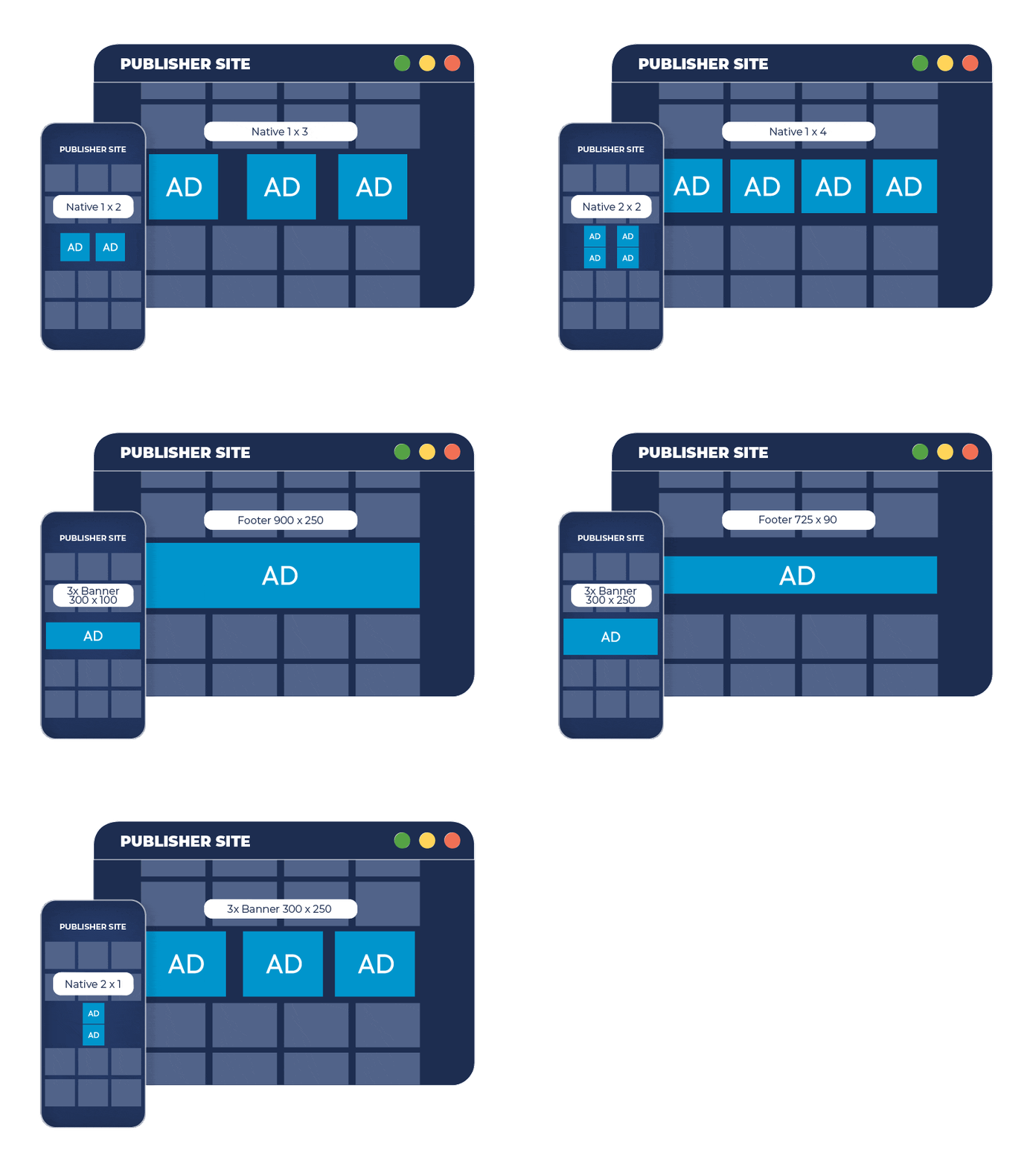
Multi-Format Ads
Banners or native widgets compete in just one placement, and the ad with the highest bid is served in the ad zone.- Sizes: Native images 300×300 to 900×900
- Files: Banner jpeg, png, gif. Native jpeg, png
- Max weight: 150 KB
- Text: Title 50 characters, description 90, brand 30
- Bidding: CPM, CPC
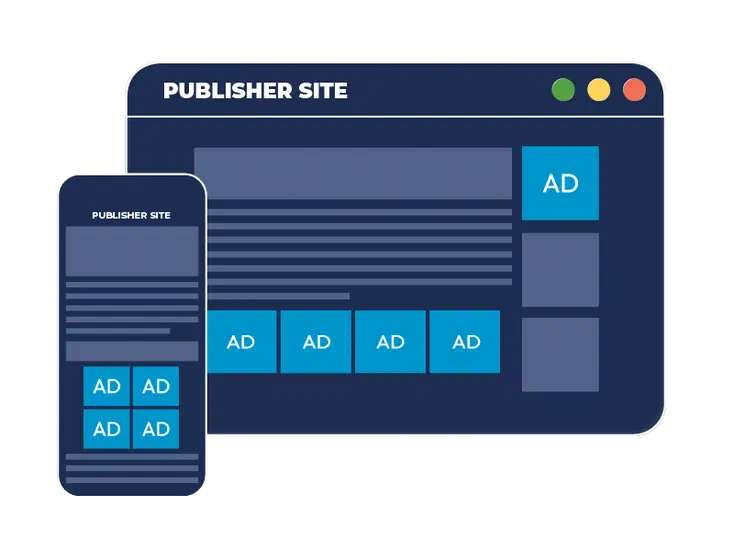
Native Recommendation
Fully customizable widget that features a responsive or custom size image and a short text: title and description. ExoClick’s native ads are fully responsive across all devices: desktop, mobile and tablet.- Sizes: 300×300 to 900×900
- Files: jpeg, png, video thumbnails (16:9, max 10 seconds)
- Max weight: Images 150 KB, video thumbnails 1.5 MB
- Text: Title 50 characters, description 90, brand 30
- Bidding: CPM, CPC
Native ads for Advertisers and Publishers
Advertisers (opens in a new tab)
Add an image, a title, a description and your brand name, then bid per click (CPC) or per thousand impressions (CPM). Banner and Native inventory comes in large volumes, which suits Nutra and VPN or software offers.Read the ad format guide: Advertisers (opens in a new tab)Publishers (opens in a new tab)
Create a native ad zone, choose how many ads it shows and how they look, and make it fully responsive across screen sizes. A Multi-Format zone lets native ads compete with banners for more revenue.Native ad setup: Publishers (opens in a new tab)
Native ads FAQ
What is a native recommendation widget?
A block of ads placed among the website’s content, each with an image, a title and a short description. It matches the look of the page, so the ads feel like part of the site.
Can I use video in a native ad?
Yes. You can add an optional video thumb, shown when visitors hover over or touch the ad: under 1.5 MB, under 10 seconds, in 16:9. Using the first frame of the video as the image gives the smoothest effect.
Can publishers style the widget to match their site?
Yes. The widget layout is set in the ad zone, and its look can be changed with CSS. See our 10 native ad zone custom CSS ideas for Publishers.
Are there extra rules for native creatives?
Yes. Native ads follow the creative rules in our Advertiser Guidelines.
Native ads on the blog
- How to create a successful Native advertising campaign Wondering how to create a successful Native advertising campaign and the benefits of native advertising? Learn all about it here!
- Advertiser Case Study: Native video thumbs versus static images This new video creative for the Native ad format helps Advertisers create more engaging dynamic creatives.
- Case Study: How 3 Publishers increased Native ad zone CPMs ExoClick’s Native ad zones are fully editable in your admin panel to ensure that the zones do look exactly like your editorial content.