
Interstitial Ads
Full-screen ads shown between two page views, on desktop and mobile.
What is an interstitial ad?
An interstitial ad fills the screen after a visitor clicks a link, before the next page appears. A Close Ad button sits at the top right, and browsing carries on as soon as the visitor closes it.
The ad gets the visitor’s full attention without changing the page layout. ExoClick has a horizontal version for desktop, Smart TV and console screens, and a vertical one for phones and tablets.
ExoClick interstitial formats
Each creative can be an image, an MP4 video or a responsive landing page shown in an iframe.
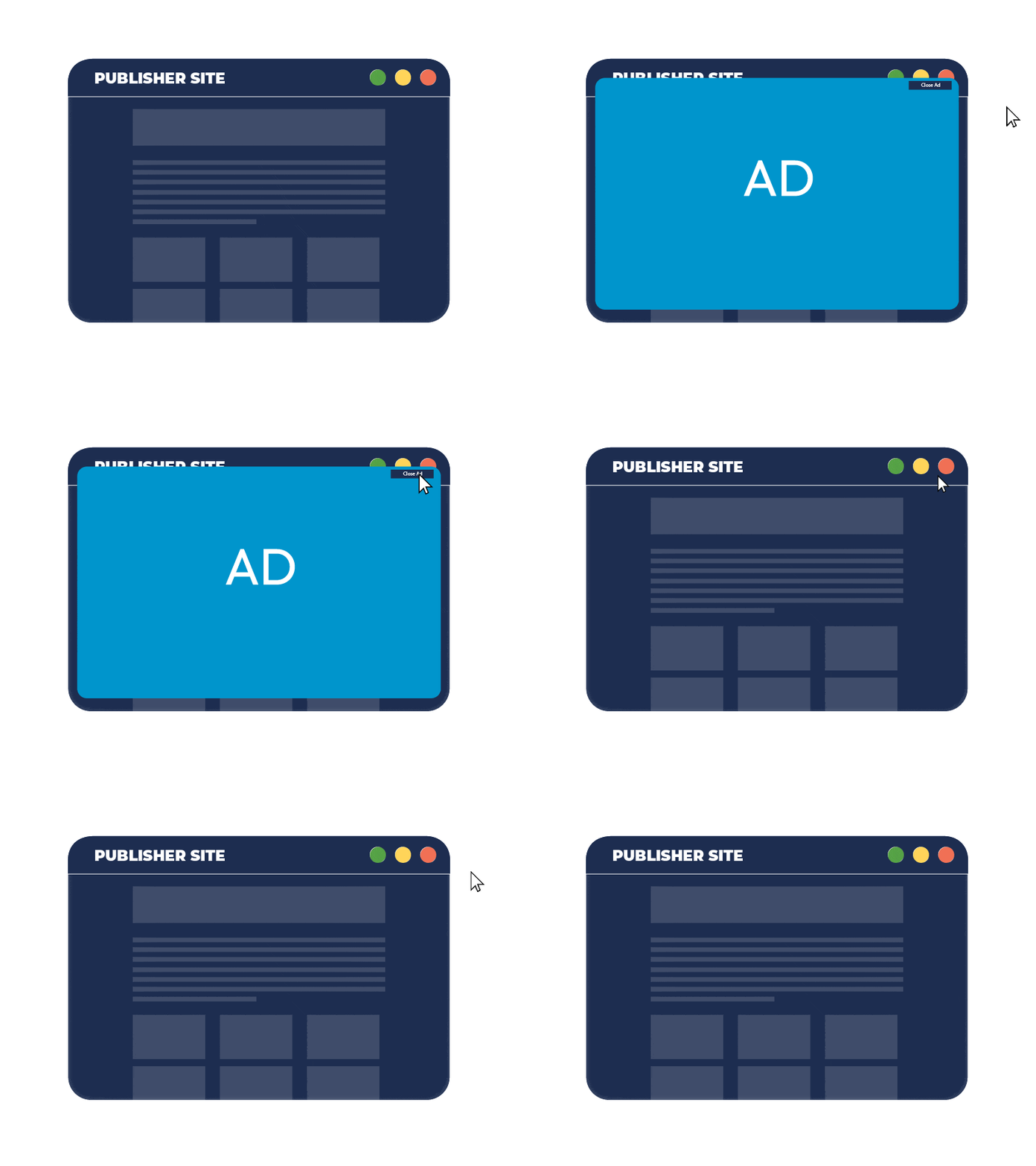
Desktop Fullpage Interstitial
Large full-page format on the horizontal interstitial that fills the full screen of the device, served during user navigation of a website. Google compliant, featuring a ‘Close ad’ option at the top right of the ad.- Sizes: 1600×900
- Files: jpeg, png, gif, MP4 video or iframe (responsive landing page optimized to 1600×900)
- Max weight: Images 300 KB, video 1.5 MB
- Bidding: CPM, CPC
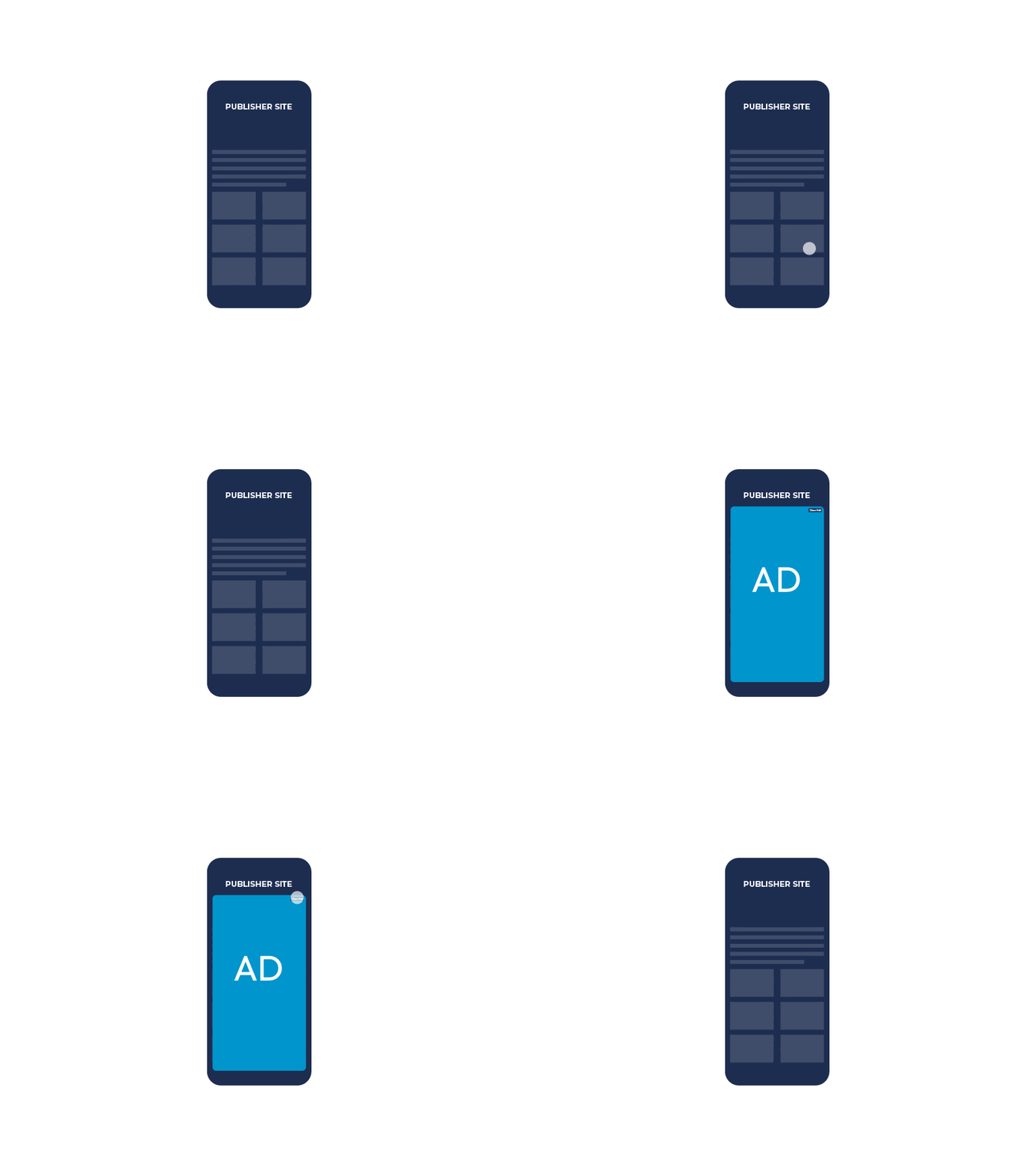
Mobile Fullpage Interstitial
Responsive full-page large format on the vertical interstitial that fills the full screen of the device, served during user navigation of a website. Google compliant, featuring a ‘Close ad’ option at the top right of the ad.- Sizes: 900×1600
- Files: jpeg, png, gif, MP4 video or iframe (responsive landing page optimized to 900×1600)
- Max weight: Images 300 KB, video 1.5 MB
- Bidding: CPM, CPC
Interstitials for Advertisers and Publishers
Advertisers (opens in a new tab)
Upload a 1600×900 creative for desktop or a 900×1600 creative for mobile, set your targeting and bid per thousand impressions (CPM) or per click (CPC). Smart Bid can adjust your bids to reach your goals.Create an interstitial campaign: Advertisers (opens in a new tab)Publishers (opens in a new tab)
Add a Desktop or Mobile Fullpage Interstitial ad zone and earn from page views without giving up space on your pages. Frequency capping sets how often each visitor sees the ad.Set up an interstitial ad zone: Publishers (opens in a new tab)
Interstitial ads FAQ
What is the difference between the Desktop and the Mobile Fullpage Interstitial?
The Desktop Fullpage Interstitial is a horizontal 1600×900 format for desktop, Smart TV and console screens. The Mobile Fullpage Interstitial is a vertical 900×1600 format for phones and tablets. It doesn’t show when the device is held horizontally and closes if the visitor turns it, unless the creative is an iframe.
Which creatives can I use?
A JPEG, PNG or GIF image (up to 300 KB), an MP4 video (up to 1.5 MB) or a responsive landing page in an iframe, optimized to 1600×900 or 900×1600.
Can publishers limit how often visitors see an interstitial?
Yes. Publishers set frequency capping on each Fullpage Interstitial ad zone. See Manage capping for Popunders and Fullpage Interstitials (opens in a new tab).
What happens if an interstitial and an In-Page Push show on the same page?
The interstitial shows on top of the In-Page Push notification.
Interstitial ads on the blog
- Advertisers! 5 reasons you should use the Fullpage Interstitial The Fullpage Interstitial (FPI) is available for Desktop and Mobile/Tablet. Here are 5 reasons you should be advertising your offer with the FPI.

- Advertiser Case Study: iGaming 12k conversions on mobile Read this iGaming Advertiser Case Study to discover how this Advertiser achieved 12K conversions on mobile Fullpage Interstitial ads.

- Publisher Case Study: Fullpage Interstitial ExoClick’s Fullpage Interstitial (FPI) is a large format that takes up the full screen of the device the user is using to view your website. Available for desktop on the horizontal 1600x900px and mobile on the vertical 900x1600px.